Why Corporate Planners Add a Photo Booth to the Program
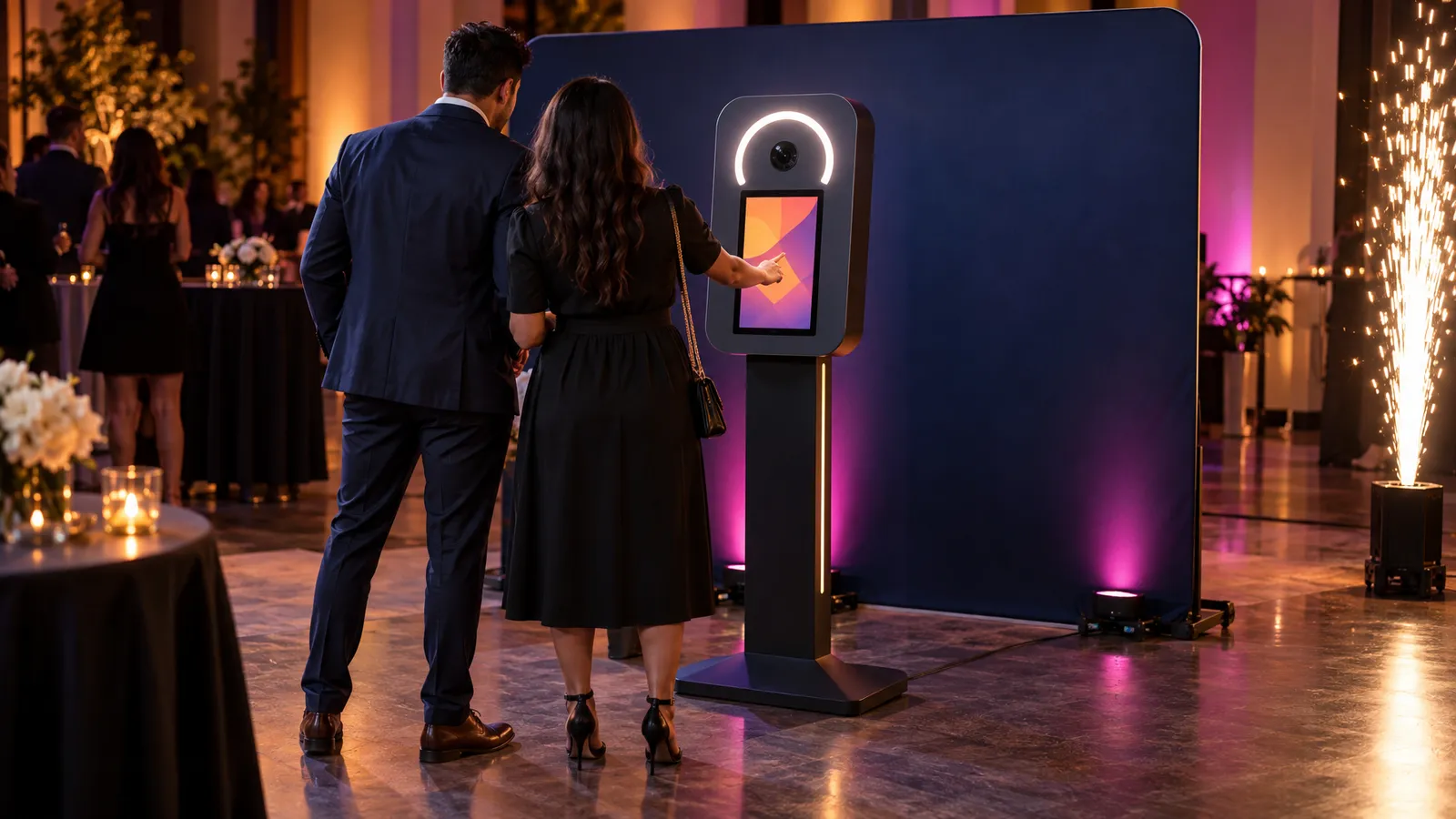
An interactive photo booth gives guests something to do together, and it can produce shareable photos without a photographer following the crowd all night. Booth formats differ from vendor to vendor, so ask what the one you are renting includes: the screen, how guests get their photos, and whether branded overlays are available.
For a corporate planner, a booth can help with a few common goals: getting people off their phones and into the room at a product launch or all-hands, giving guests a photo to take home, and putting the event's branding on those photos. How well it works depends on placement, staffing and how easy the sharing step is, so it's worth planning rather than just parking a booth in a corner.
Our Interactive Photo Booth rents for $400 per day, and the catalog describes it as a "premium interactive experience with instant sharing." In a corporate calendar, a booth can fit several moments: the holiday party, the product or brand launch, and the trade show booth that needs a reason for people to stop walking. Each has slightly different requirements, so plan the setup for the occasion.
What follows is the practical version: footprint, branding, staffing, and how a booth pairs with other rented effects, so you can walk into your next vendor call already knowing what to ask for.
Setup Footprint: Space and Power to Confirm
Event coordinators usually start with some version of "will it fit?" The answer depends on the booth's actual dimensions, the backdrop you choose and how much room you leave for guests, so measure it out rather than relying on a rule of thumb.
- Booth and backdrop: Ask for the booth's and backdrop's dimensions, and the distance the camera needs from the backdrop, before you draw the floor plan.
- Working clearance: Leave room behind and beside the setup for cabling and access during the event, so nothing has to be moved mid-event.
- Queue space: This is the part that is easy to underestimate. A popular booth can generate a line, so plan where it forms so it doesn't block a walkway, an exit or a bar line.
- Fitting a trade show booth: If you want the booth inside a trade show space, add up the booth, backdrop, clearance and queue and check the total against your booth's dimensions and the show's rules before you commit.
- Power: Ask for the booth's power requirements and plan where the nearest outlet is. If the outlet is far away or the event is outdoors, tell us when you book so the cable run can be planned in advance and routed away from walking paths.
- Lighting: If you're setting up somewhere with strong ambient light, like a floor-to-ceiling window wall in the afternoon, mention it so the setup can be angled to avoid backlighting that washes out photos.
One thing worth flagging early: venues with strict walkway and egress requirements will have opinions about where a booth and its queue can sit. Loop your venue coordinator in on booth placement at the same time you're finalizing your floor plan, not the week before.
Photo by Kevin Torres / Unsplash — illustration: a group posing together in front of a branded backdrop.
Branding Overlays: Options to Discuss
Branding is often the biggest difference between a corporate booth and a party booth, and it's worth spending real time on with your vendor. Some hosts want clean, unbranded photos; others want a logo, event hashtag or sponsor marks on every frame. Decide which you want before the vendor call.
Features vary from booth to booth, so ask your vendor about these specifics before your event, not on-site:
- Static overlays: A logo and date in a corner or as a full-frame border. Ask what file formats the vendor needs.
- Animated captures: If the event is social-media-forward (product launches, tech conferences), ask whether the booth can capture short animated clips as well as stills.
- Digital delivery format: Confirm exactly how guests receive their photos. If delivery is by email, ask how addresses are handled; adding guests to a follow-up list needs their consent.
- Color and font matching: If your brand guidelines specify exact hex codes, send them early. Overlay templates take time to build correctly, and same-day requests limit what's possible.
- Sponsor co-branding: Multi-sponsor events often want two or three logos on one overlay. If the booth supports it, the design needs more lead time than a single logo.
If you plan to reuse guest photos after the event, for example in marketing or on the company's social channels, check what permissions you need from the people in them. Receiving a photo is not the same as agreeing to appear in a company's marketing, so settle this with your marketing or legal team before the event.
Staffing: Do You Need an Attendant?
It depends on your event. Consider expected guest numbers, how long the booth runs, how familiar guests are with the sharing flow, and whether anyone needs to keep the area tidy and the queue moving. A booth running unattended at a small internal gathering is a different situation from one on a busy public-facing floor.
A person at the booth can help with a few things:
- Flow management: Keeping the queue moving, especially when groups want multiple takes.
- Troubleshooting: Connectivity hiccups for digital sharing, and prop management if you're using them.
- Prompting participation: Inviting quieter guests to jump in.
- Showing the sharing step: Helping guests use the booth's delivery method rather than just snapping a phone photo of the screen.
For a small team celebration, a host may choose to run the booth unattended to save on staffing cost; for a launch event, a trade show floor or a client-facing party, it's reasonable to budget for someone at the booth. Delivery, setup and technician services are scoped and quoted to your event, so if you want someone to staff the booth, ask when you request a quote and get it confirmed in writing.
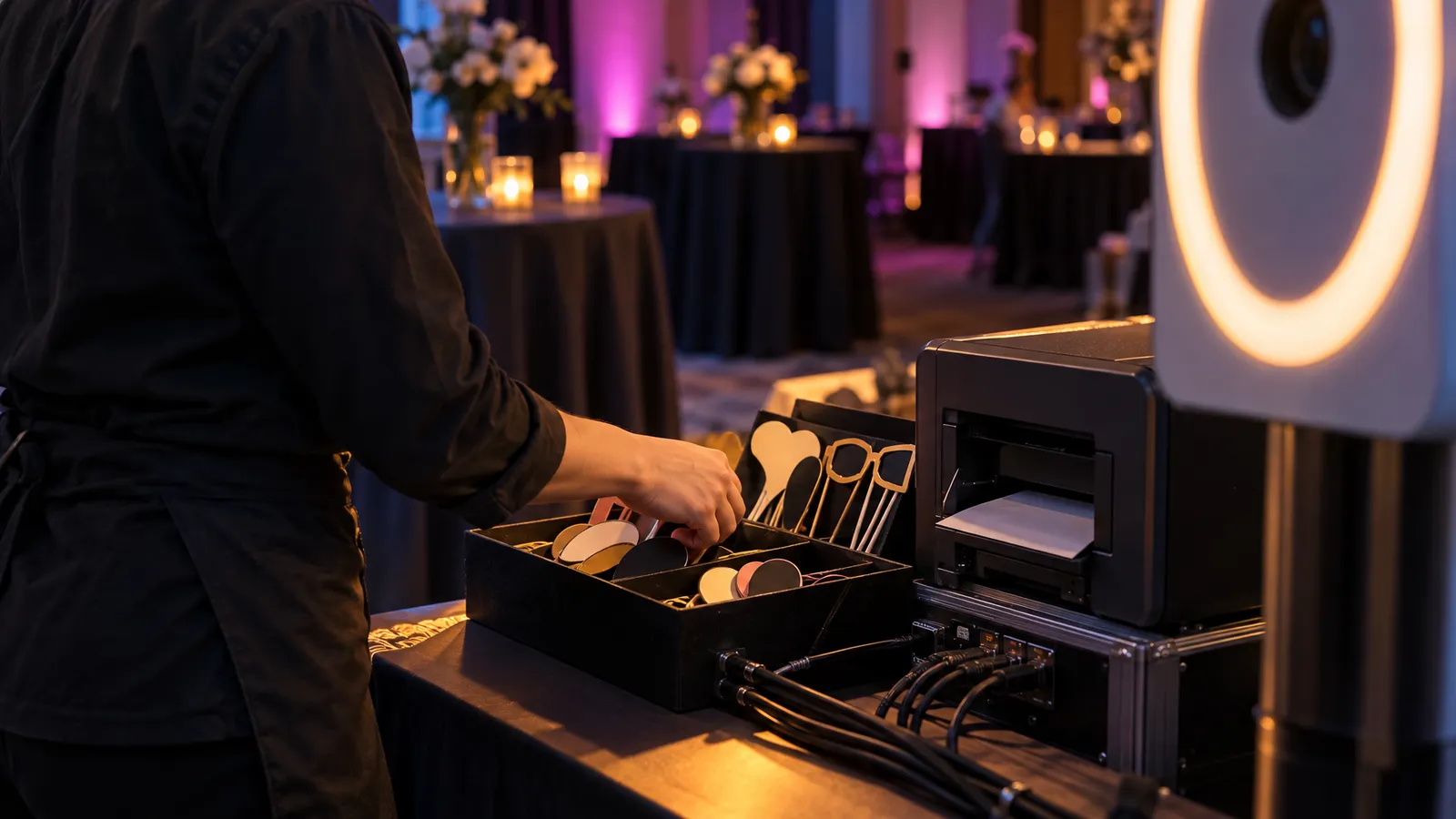
Photo by CHUTTERSNAP / Unsplash — a general illustration of event staffing.
Pairing It With Other Rental Effects
A photo booth often sits alongside other elements on a corporate run sheet. Two natural pairings are a backdrop moment right after a keynote, and a booth stationed near the exit for a send-off. If your event has a big finale moment, such as closing remarks, a product reveal or an award announcement, a cold spark machine timed right before guests head to the booth can give them something to react to on camera.
Timing matters here. Cold spark effects should be cued from the run-of-show rather than left to guesswork, and they need sign-off in advance: the machines run on titanium spark powder, California Health and Safety Code section 12505 classes fireworks containing zirconium or fine titanium as dangerous fireworks, and some fire authorities do not allow the machines at all, so check with the venue and your local fire authority before you plan the moment. Whoever is at the booth and the effects operator should be on the same page about when the crowd is going to move, so the queue doesn't form mid-effect and block sightlines.
For trade show floors, another pairing is a display running a looping slideshow of that day's booth photos, turning the booth into content for a second screen, if the booth's software supports it; ask before you plan on it.
Whatever you're combining it with, loop us in early: we design the setup around your event's scenario and requirements, so setup, breakdown, and staffing for each piece of equipment are planned together and don't collide.
Booking Timeline and What to Confirm Before Your Event
The details that matter most for a corporate booth (overlay branding, sponsor logos, delivery format) need to be settled well before the event. A sensible order to work through them:
- Early: Confirm the booth, whether you want someone staffing it, and rough floor placement with your venue.
- Next: Send final logo files, brand colors, and any sponsor co-branding requirements.
- Before the event week: Confirm the digital delivery method and approve the overlay proof. Our terms ask for any change to a rental order at least 5 business days before the event.
- Day of: Leave time before doors open to test the sharing flow and adjust for venue lighting.
The booth itself is $400 per day in our catalog; delivery, setup and technician services are scoped and quoted to your event. To get an accurate number, tell us the venue, date, hours and expected guest count, and whether you're pairing the booth with another effect. You can see the booth and request a quote on the Interactive Photo Booth item page, and if you're building out a fuller event AV plan alongside it, our event planning checklist walks through lead times for lighting, sound, and staging.
FAQ: Corporate Photo Booth Rental
How far in advance should we book a photo booth for a corporate event?
If you need sponsor co-branding or custom overlay colors, allow time for the design to go through approval rounds without rushing. Same-week delivery is available for most items across the Bay Area, and availability is confirmed for your date when you request a quote.
Can the booth run outdoors?
Ask before you plan on it. Confirm with us whether the booth suits your outdoor setting, what power it needs and how the cable will be run, and how it will be protected from sun, wind and moisture. Flag an outdoor setup when you request a quote so placement can be planned.
Do guests need to download an app to get their photos?
Guests get their photos through the booth's instant sharing; ask which delivery options suit your event when you request a quote.
What happens if a sponsor wants their logo added the week of the event?
Ask as soon as it comes up. A late addition may mean a simpler overlay than you planned, so lock branding well ahead. Our terms ask for order changes at least 5 business days before the event.
How is an attendant priced?
The catalog price is $400 per day for the booth. An attendant, like delivery, setup and other technician services, is scoped and quoted to your event, so if you want someone staffing the booth, ask when you request a quote and get it confirmed in writing.