
What to Expect When Renting AV Equipment: A Complete Guide
Timeline for Bay Area AV rentals: booking, delivery timing, setup coordination, venue access, day-of support, and pickup logistics.
Renting AV equipment for a Bay Area event goes most smoothly when four things are settled in writing before the day: when the gear arrives, where exactly it is dropped off, who sets it up, and when it is picked up. If you are renting for the first time, confirm delivery timing, venue access rules and setup time before you book, and check that equipment arrival fits the event timeline. A projector that arrives at 2pm for a 9am presentation is useless; a sound system delivered to the wrong loading dock can derail your schedule.
This guide walks you through the rental lifecycle, from booking and delivery coordination to day-of support and post-event pickup, so you can plan realistic timelines and avoid venue access conflicts or too little setup time. For an equipment checklist to pair with these logistics, see our corporate event AV checklist. Whether you're renting a projector and screen for a board meeting or a full production rig for a large conference, the same fundamentals apply.
1. Booking Your AV Rental: Lead Time and Availability
Contact your rental company as soon as your date and venue are set. There is no universal lead time: some suppliers can deliver within days, and VENEGEEST offers same-week delivery for most items; availability is confirmed for your date when you request a quote. If you want a planning buffer, a few weeks ahead for a typical event and more for a large production is a reasonable starting point to confirm with the supplier, not a rule.
Provide specific details when requesting a quote: event date and duration, venue name and address, expected audience size, room dimensions, and the type of content you're presenting (slides, video, live performance). Browse our AV equipment catalog to see what's listed; VENEGEEST designs a custom solution around each event, and equipment beyond the listed catalog is available on request, subject to availability, with a custom quote. A corporate keynote in a hotel ballroom needs different gear than a backyard wedding or a product launch in an office.
If you're renting multiple items, ask whether the supplier quotes packages and how they are priced; at VENEGEEST, multi-item packages are quoted per project. Confirm what's included: cables, stands, power strips and setup instructions. Some rentals include technical support; others are pickup-only. Clarify this early. If you're not confident troubleshooting gear yourself, day-of tech support may be worth the added cost.
Read the cancellation and rescheduling terms before signing, because they differ between suppliers. As an example, VENEGEEST requires a non-refundable 25% deposit to secure a booking; cancelling 14 or more days before the event gets a full refund minus the deposit, 7–13 days gets 50% minus the deposit, 3–6 days gets 25% minus the deposit, and less than 3 days gets no refund. Order changes must reach VENEGEEST at least 5 business days before the event. Outdoor events, shifting conference schedules and venue changes are all reasons to know these terms before you commit.
2. Delivery Windows and Venue Access Coordination
Agree the delivery time with the supplier and the venue in advance, and get it in writing. Some suppliers deliver within a time window rather than at an exact time; if yours does, ask how wide the window is, and if you need a fixed appointment, ask whether that is possible. Whatever you agree, build buffer time into your setup schedule for traffic and access delays.
Confirm your venue's receiving hours and access rules. Large venues such as Moscone Center have their own rules for loading docks and freight elevators, and a building may require advance notice or a reservation. Office buildings may limit deliveries to certain hours or ask for visitors to be pre-registered. Ask your venue what it requires for load-in, including dock or elevator bookings, insurance certificates and any hours when deliveries are not allowed, and pass the answers to your supplier.
Assign a contact person who'll be on-site during the delivery to accept the equipment, sign the delivery paperwork, and check the order. This person should have your rental confirmation, a checklist of expected items, and the venue contact's phone number in case the driver needs gate codes, parking instructions or directions to the right loading dock or service entrance.
Confirm in the quote exactly where the equipment will be dropped off: at the curb, at a loading dock, or in the event room. Also confirm who moves it from there to the setup location, and whether stairs, elevators or long carries are involved. If you are moving gear yourself, base the number of people and the handling equipment on the actual weights and sizes of the packed cases and on the route through the building, and ask the supplier for those figures. Multi-story venues without service elevators need extra time and hands.

3. Equipment Inspection and Acceptance
When the delivery arrives, check the order before the driver leaves. Count items against your rental agreement, since it's easy to miss a box of cables or a mic when you're accepting many cases of gear. Open cases and look for obvious damage: cracked screens, loose connections, missing knobs. Power on key items (projector, mixer, wireless mics) to confirm they work. A few minutes spent here can prevent problems on the day.
Check the accessories too: remote controls (do they have batteries?), power cables, and adapters (do you have the right video connections for your laptops?). If something is missing or damaged, photograph it and tell the rental company straight away, and note it on the delivery paperwork. Read your rental agreement to see when your responsibility for the equipment starts. Under VENEGEEST's terms, for example, the client is responsible for rented equipment from the time of delivery or pickup until it is returned, and must report any malfunction or damage immediately.
If instruction sheets or quick-start guides come with the equipment, keep them with it for troubleshooting. If you've rented complex gear (digital mixers, video switchers, multi-channel wireless systems), ask whether the company provides phone or on-site support during your event, and what the arrangement is.
Photograph the equipment when you receive it and once it is set up. Photos give you a record of the condition you received it in for the return inspection. They are evidence, not a guarantee: any dispute about condition is settled under your rental agreement.
4. Setup: DIY vs. Professional Installation
If you're handling setup yourself, ask the supplier how long your particular system usually takes, then add a buffer, especially if you're unfamiliar with the gear or the venue. As a starting point to check with the supplier, a basic system (projector, screen, sound system, wireless mics) might take a couple of hours, and complex rigs considerably longer. For step-by-step setup, see our guide on how to set up a sound system for a live event. Rushing setup makes mistakes more likely: forgotten cable connections, poor speaker placement, untested wireless frequencies.
Start with power and placement. Find out which outlets are on which circuits and spread the load so you don't overload a circuit and trip a breaker; the venue's facilities staff can tell you what each circuit may carry. Position speakers, projectors and screens first (the big pieces), then run cables and make connections. Follow the rental company's setup diagrams where they provide them.
If you book professional setup, agree the arrival and setup time in the quote. VENEGEEST's terms set a minimum of 2 hours for standard setups and note that large-scale productions may require additional time. Setup is scoped and quoted to your event. Ask what the technician will do (placement, cable runs, testing) and whether they will walk you through the controls and your run-of-show cues. Power itself (which circuits to use, and whether the event needs more than the venue's outlets) is a separate question to plan with the venue's facilities staff or a power vendor. Professional setup costs more, but it puts the work in the hands of people who know the equipment, which can reduce the risk of setup problems. It does not remove the possibility of a fault.
Do a sound check whether you set up yourself or work with a tech. Test every mic, play audio at the expected event volume, walk the room to listen for dead spots or feedback, and run any video content to confirm playback. For presentations, have your speakers connect their laptops and advance through a few slides to check resolution and transitions.
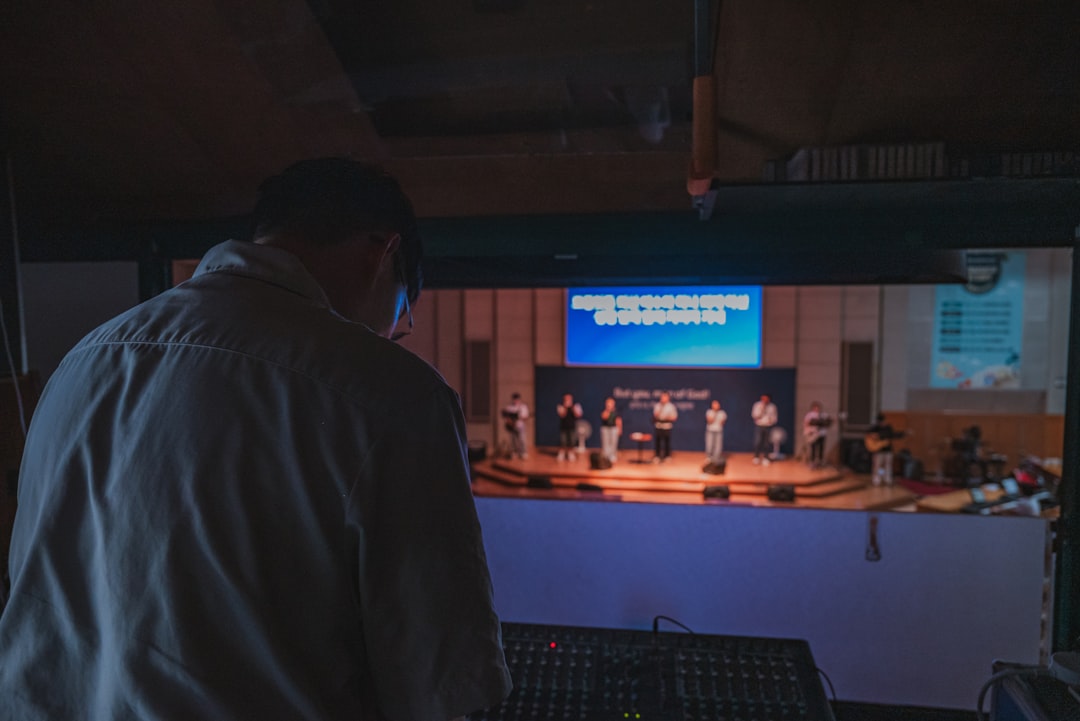
5. Day-of Support and Troubleshooting
Even with a careful setup, technical issues can come up during an event. A wireless mic battery dies mid-speech. A laptop won't connect to the projector. Background music cuts out between segments. Planning and a few quick first checks can resolve some of them.
If you've booked an on-site operator, agree in advance what they will do during the event: for example, watching audio levels, changing batteries, running lighting cues and handling connection problems. At VENEGEEST, technician services are scoped and quoted to your event. An operator can deal with problems quickly, but no one can promise that nothing will interrupt the program.
For DIY setups, ask the rental company what support is available during your event and how to reach it, and keep that number in your phone. If equipment malfunctions, report it right away; VENEGEEST's terms say that in the event of a malfunction during the rental, it will make every reasonable effort to provide a replacement. Common issues and first checks:
- No sound from wireless mic: check the battery, confirm it's powered on, verify the receiver is on the correct channel, check the mute switch.
- Projector shows "no signal": confirm the laptop isn't asleep, check cable connections at both ends, try a different input, restart the projector.
- Feedback/squealing from speakers: reduce mic volume slightly, move speakers farther from mics, check for mics pointing at speakers.
- One speaker not working: check the power cable, verify it's switched on, swap cables with the working speaker to isolate the problem.
Assign someone from your team as the "tech point person" for the event, ideally someone comfortable with basic troubleshooting who can talk to the rental company if needed. This person should not be your MC, keynote speaker or host; they need to be free to handle technical issues.
6. Post-Event Pickup and Return Process
Agree the pickup time when you book, the same way as delivery, and make sure someone will be there to hand off the gear. VENEGEEST's daily rate covers a 24-hour rental period starting from delivery or pickup, and equipment must be returned by the agreed date and time. If your event runs late or teardown will take longer than planned, call the rental company before the agreed pickup time to change it.
Pack equipment back into its cases the way it was delivered. If you're unsure how something was packed, take photos while unpacking or ask the delivery crew to show you. Loose packing and mixed-up cables risk damage in transport and slow the return check.
Do a final inspection before the gear is loaded. Look for damage that occurred during your event, such as scuffed speaker grilles, cracked mic windscreens or bent connectors, photograph it, and tell the rental company. Whether damage is covered depends on the insurance or protection plan you actually have and its exclusions. VENEGEEST, for example, offers an optional Equipment Protection Plan at 10% of the rental total that covers accidental damage, excluding negligence and theft, and encourages clients to carry event insurance that covers rented equipment. Under its terms, damaged, defective or incomplete returns are assessed and charged for repair or replacement.
Return all accessories, adapters, remotes, power cables and small items. They disappear easily during teardown: packed in your event boxes, tucked in pockets, left on venue tables. Missing items can mean replacement charges, so sweep the venue before calling the pickup complete.
If you had a good rental experience, a review helps other planners choose. If you had problems, tell the company directly so they can address them.
FAQ: Renting AV Equipment, Delivery to Pickup
How far in advance should I book AV equipment for my Bay Area event?
As soon as the date and venue are set. Lead times vary by supplier and item; VENEGEEST offers same-week delivery for most items, and availability is confirmed for your date when you request a quote. Confirm availability in writing before you finalize other plans.
What happens if equipment arrives damaged or doesn't work?
Check the gear when it arrives, before the driver leaves, and power on key items. If you find damage or a fault, photograph it, note it on the delivery paperwork, and contact the rental company right away. What happens next depends on the supplier's terms; VENEGEEST's say it will make every reasonable effort to provide a replacement for equipment that malfunctions during the rental. Read your agreement to see when responsibility for the equipment passes to you.
Do I need to hire a technician or can I set up AV equipment myself?
Simple setups (a single projector and screen, a portable PA speaker, a few wireless mics) may be manageable yourself if you're comfortable with basic tech. Complex systems (multi-camera video, large sound rigs, LED walls, stage lighting) are where you should weigh a technician more seriously. Weigh your comfort level, the setup time available and the stakes of the event; a technician can help prevent and fix problems, though not every fault can be prevented.
What's included in "delivery and setup" for AV rentals?
It varies by supplier, so have the quote spell it out: where the equipment is dropped off (curb, dock or event room), who carries it in, whether stairs or elevators are involved, what setup covers (placement, cable runs, programming, sound check), and whether anyone stays to operate during the event. At VENEGEEST, delivery, setup, teardown and technician services are scoped and quoted to your event, case by case. Power for the event is planned separately with the venue or a power vendor.
Can I extend my rental if my event runs longer than planned?
It may be, subject to availability; availability is confirmed for your date when you request a quote. Contact the rental company as soon as you know you'll need more time. Under VENEGEEST's terms, extensions may be arranged in advance, subject to availability and additional rental charges, and a late return without an arrangement is charged a late fee equal to the daily rental rate for each day overdue. Building some buffer into your original rental period can avoid the problem.