
AV Equipment for Hybrid Town Halls: A Complete Guide
Conferencing setup, camera framing, and remote Q&A for Bay Area hybrid town halls, plus the PA, screens and casters you can rent for the room.
Why Hybrid Town Halls Need Different Gear Than a Regular Meeting
A hybrid town hall isn't just a big meeting with a webcam bolted on. You may have a ballroom or auditorium full of employees plus a large group watching from home or a satellite office, and both groups need to be able to follow and take part. That's a much harder AV problem than a standard conference call.
The core challenge is asymmetry. In-room attendees hear the speaker directly and can raise a hand. Remote attendees only get what the camera and microphone capture, and they can only ask questions through a chat window or a queued mic. If the camera framing is poor or the room audio doesn't reach the call cleanly, the remote half of the audience has a much weaker experience than the room.
Three systems have to work together: a conferencing or streaming endpoint with a clean audio and video path into the call — either a dedicated room system such as a Zoom Room or Teams Room, or a properly configured computer running the meeting software — camera coverage that frames both the presenter and any audience Q&A moments, and a remote question intake process that doesn't leave online viewers stuck typing into a chat nobody reads live. Each depends on the others, so plan and test all three together.
This guide breaks down what actual equipment handles each piece, how to frame cameras so remote viewers aren't limited to one static wide shot, and how to run Q&A so people watching from home get a genuine turn at the mic instead of a "we'll get to your question later" brush-off.
Setting Up the Call Endpoint for a Large Room
There are two common ways to put a large room on a call: a dedicated room system (Zoom Rooms, Teams Rooms and similar products can be configured for anything from a huddle room to a large space), or a computer running the meeting software with external audio and camera inputs. Neither is mandatory, and a kit sized for a small conference room is not a kit for a ballroom. Whichever you choose, a large town hall is best treated as a production system: external microphones, cameras and a sound system feeding the call, rather than a plug-and-play appliance.
Start with the compute. Whether it is a room system's own computer or a laptop set aside for the call, the machine running the meeting should do only that for the whole event, with nothing else competing for bandwidth or CPU. Pair it with a wired connection reserved for the call. Size that connection from the published requirements of the product you actually deploy. Zoom's system-requirements article for its desktop client, for example, lists 3.8 Mbps up / 3.0 Mbps down for 1080p group video and 2.6 Mbps up / 1.8 Mbps down for 720p — but those figures are for the desktop client only; a Zoom Room or Teams Room has its own vendor requirements, which depend on how that system is set up, so check the current figures for your configuration. Either way, plan headroom above the published numbers (our recommendation, not a vendor requirement) and test the actual venue connection at the event time. Ask the venue whether it can provide a dedicated wired line rather than shared Wi-Fi.
- Audio routing: Feed the call from the mixer through a USB or Dante audio interface, and send the remote audio back to the room through the mixer, rather than relying on a device's built-in microphone and speaker.
- Video input: Camera feeds route in via HDMI-to-USB capture or NDI over the network, letting you switch between multiple camera angles without re-plugging cables mid-event.
- Screen share and slides: A separate confidence monitor for the presenter avoids the awkward moment where they're reading their slides off the same screen remote viewers see.
For companies running town halls quarterly, it's worth having this configuration as a repeatable kit rather than reinventing it each time. Our NDI camera streaming guide covers the network side of this in more depth if you're deciding between NDI and direct HDMI capture for your event.
Echo is the main thing to design out. Acoustic echo happens when sound from a loudspeaker is picked up by a microphone and sent back — so if the far-end (remote) audio plays through the PA and the room microphones pick it up, remote participants can hear themselves with a delay. Two standard tools address this. A mix-minus — a mixer output that contains everything except a designated input — sends the call everything in the room except the remote audio itself. Acoustic echo cancellation (in a DSP, the conferencing device or the software) uses the far-end signal as a reference and subtracts its echo from what the microphones send. How well it works depends on configuration, so test a two-way call — someone remote speaking through the PA while the room mics are live — before the event.
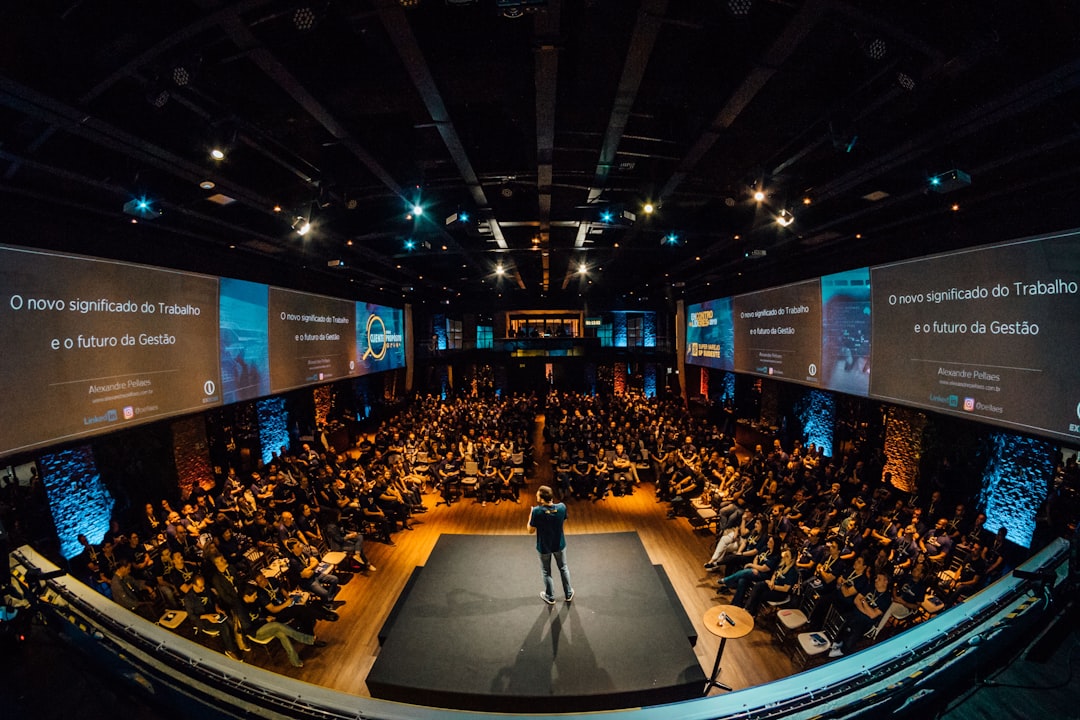
A well-framed presenter shot keeps remote attendees engaged instead of watching a static wide angle.
Camera Framing: Getting the Shots Remote Viewers Actually Need
Camera work shapes what the online audience sees. A single fixed wide shot from the back of the room shows a small presenter and slides that are hard to read.
How many cameras you need depends on the room, the stage and the program. A common way to cover a presenter-plus-Q&A format is with up to three angles:
- A PTZ (pan-tilt-zoom) camera on the presenter, framed tight enough to show expression and body language, roughly a medium shot from the waist up. This should be the default "home" shot the switcher returns to.
- A second PTZ or fixed wide camera covering the full stage, used when there are multiple speakers, a panel, or a demo that needs the whole space visible.
- A roaming handheld or shoulder-mount camera for Q&A, so when an employee stands up to ask a question in person, remote viewers see that person's face, not the back of their head or an empty aisle.
Slides are usually best sent as a screen share in the meeting software, not captured on camera, so text stays sharp and legible instead of blurry and reflected off a ballroom screen.
When to change shots is an editorial choice: cut when the speaker changes, when a slide or demo needs the wide view, or when an in-room questioner stands up. Plan the likely moments in a run-of-show so whoever is switching knows what is coming. With more than one camera, someone has to do that switching — a technical director or switcher operator watching a multi-view monitor. It is a role, not a piece of gear. Note that an auto-tracking camera follows a presenter within one camera's view; it does not switch between cameras.
In a smaller room, or a program with one presenter who stays in one area, a single well-placed PTZ camera with auto-framing may be enough. Size the setup to what the camera actually has to cover.
Running Remote Q&A That Doesn't Feel Like a Second-Class Experience
Remote attendees can easily end up feeling that their questions go unanswered while in-room employees get called on directly. Balancing that is more about process than gear, but the right tools make the process easier to run.
One workable setup is a moderated question queue where remote viewers submit and upvote questions — either your meeting or webinar platform's own Q&A feature, or a separate audience Q&A tool that the moderator runs on their own laptop. A dedicated moderator, someone other than the presenter, watches the queue and reads remote questions aloud between in-room questions. Alternating (one in-room question, one remote question) is a simple way to give both groups a turn.
On the hardware side, you need:
- A wireless handheld or lavalier mic for in-room questioners, ideally passed by a runner rather than requiring people to walk to a fixed mic stand.
- A confidence monitor visible to the presenter showing the live remote question queue, so they can read questions naturally instead of squinting at a laptop screen.
- A dedicated moderator seat with its own laptop and headset, separate from the AV operator running cameras and audio.
Remote attendees can also ask questions live by voice. That works when the audio is routed for it — remote audio into the PA, a mix-minus back to the call and echo cancellation configured — and has been tested with a two-way call. Whether to take live remote voices or typed questions read by a moderator is a workflow choice: typed questions are easier to screen and to work through when the queue is long, while live voices let remote staff speak for themselves.
If remote staff said they never got picked last time, an alternating queue with a visible upvote count, so people can see their question is waiting, is a practical change to try.
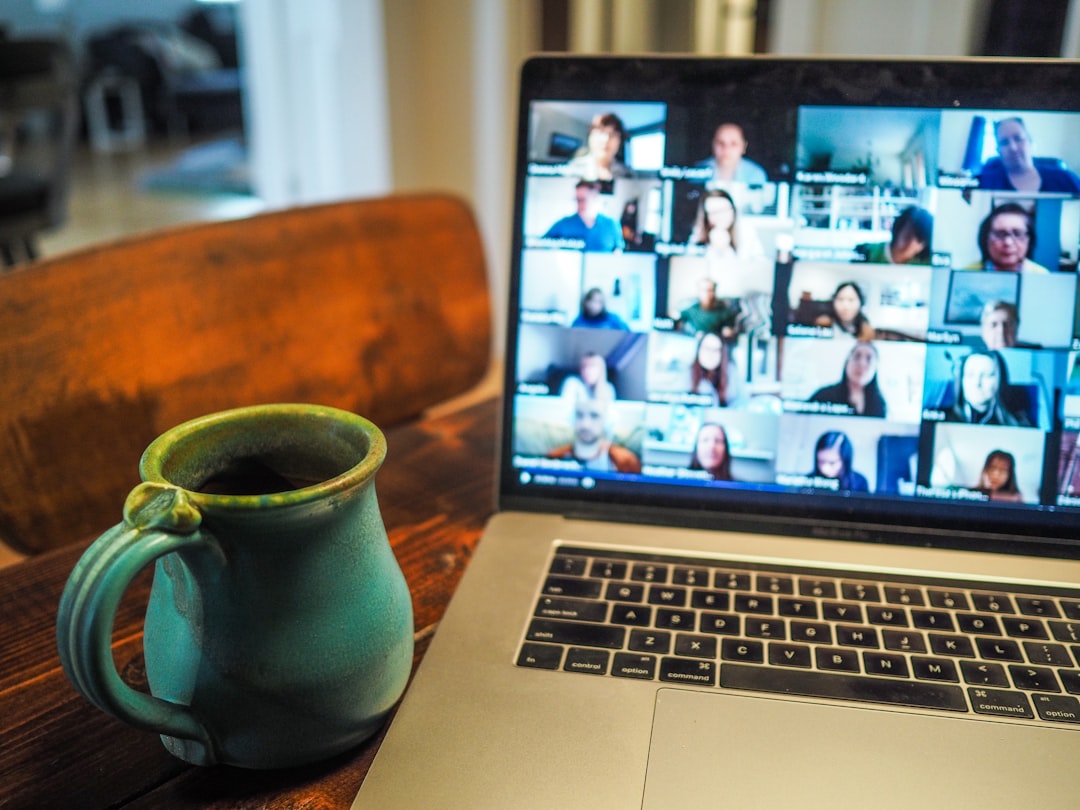
A moderated Q&A queue keeps remote attendees from feeling like an afterthought.
Equipment Checklist and What VENEGEEST Rents
A presenter-plus-Q&A hybrid town hall in a large room typically draws on the following. VENEGEEST designs the setup around your town hall's room and format. Cameras, Zoom or Teams Room kits, switchers and wireless mic packages go beyond the listed catalog: they are available on request, subject to availability — contact us for a quote. The in-room pieces from the listed catalog are noted with their catalog day rates.
- Conferencing endpoint — a Zoom Room or Teams Room system, or a computer running the meeting software with an audio interface and capture devices — from your IT team, or on request, subject to availability (contact us for a quote).
- PTZ cameras sized to the room, with an operator — available on request, subject to availability; contact us for a quote.
- Roaming handheld camera with operator for Q&A shots — available on request, subject to availability; contact us for a quote.
- Wireless handheld/lavalier mic package — sized to the number of presenters and question runners.
- PA system sized for the room: our Commercial PA Speaker rents from $200/day.
- Confidence monitor: an LED TV Display from $35/day (43″) to $120/day (120″). The TV Floor Stand at $20/day is specified for 32″–85″ screens up to 132 lb; a larger display needs a support rated for it, which can be requested with the quote, subject to availability.
- Wireless slides from the presenter's laptop: the Wireless Screen Caster at $60/day.
- Technical director / switcher operator — a role to staff, not gear.
Our daily rates cover a 24-hour rental period; delivery, setup and technicians are scoped and quoted to your event. Same-week delivery is available across the Bay Area for most items.
Confirm camera operators and switcher techs when you request the quote, since the event depends on people as much as on equipment.
If your town hall is part of a broader event day with breakout sessions or an all-hands plus reception, check our full AV equipment catalog for the listed sound, lighting and staging gear (more is available on request, subject to availability), or bundle in a stage platform using our portable stage sizing guide if you need a raised presenter platform.
Common Mistakes That Sink a Hybrid Town Hall
A few problems come up often enough to plan against:
Relying on venue Wi-Fi for the call. Shared Wi-Fi carries everyone else's traffic too, and you don't control it. Where you can, run the call on a wired connection reserved for it, and test it at the venue beforehand.
No dedicated moderator for remote Q&A. When the presenter tries to read chat questions while also running the meeting, remote questions are easy to miss. This is a staffing gap, not a gear gap: assign a moderator whose only job is the remote queue.
Skipping a soundcheck with the actual call hardware. Testing the PA and testing the audio path into the call are two different things. A system can sound great in the room and terrible on the stream if the audio interface routing wasn't checked with an actual test call beforehand.
Static camera framing for the entire event. A single locked-off wide shot for the whole event gives remote viewers a small, distant presenter. Even a modest two-camera setup, with a medium shot and a wide shot, gives the stream more to work with.
No confidence monitor for the presenter. Without a way to see remote questions or the stream itself, presenters can easily lose track of the online half of their audience.
A full tech rehearsal ahead of the event day, with a real test call, gives you a chance to catch these in advance; a quick mic check an hour before doors open does not test the call path. If you're planning your first hybrid town hall, budget time for that rehearsal.
FAQ: Hybrid Town Hall AV
How many cameras do I need for a hybrid town hall?
It depends on what the cameras have to cover rather than on headcount alone. A presenter-plus-Q&A program is often covered with a tight shot on the presenter, a wide shot of the stage and a roaming camera for in-room questions; a small room with one presenter may need only one auto-framing PTZ camera.
Can I run a hybrid town hall over regular Wi-Fi?
It is a risk, because shared Wi-Fi carries other traffic you don't control. Zoom's desktop client alone lists 3.8 Mbps up / 3.0 Mbps down for 1080p group video, and a Zoom Room or Teams Room has its own, separate requirements. A wired connection reserved for the call, sized from the requirements of the system you actually use, with headroom and tested at the venue beforehand, is the safer plan.
What's the difference between a Zoom Room and just running Zoom on a laptop?
A Zoom Room is a dedicated room system with its own hardware; it can be sized from small rooms to large spaces. A laptop's built-in camera and microphone can't cover a large room on their own, but a laptop running Zoom can also take external sources — a mixer's feed through an audio interface and camera feeds through a capture device. Either way, what matters is the audio routing and camera coverage feeding the call.
How do I stop remote employees from feeling ignored during Q&A?
Give remote viewers a visible way to ask — a moderated queue where they submit and upvote questions, or live voice questions if the audio has been set up and tested for it — and alternate between in-room and remote questions. A dedicated moderator, separate from whoever runs cameras and audio, keeps the remote queue from being forgotten.
What can I rent from VENEGEEST for a hybrid town hall?
The in-room pieces: Commercial PA Speakers from $200/day, LED TV Displays from $35/day as confidence monitors, TV Floor Stands at $20/day (for 32″–85″ screens), a Wireless Screen Caster at $60/day and Portable Stage Platforms at $30/day for a raised presenter position. Cameras, Zoom or Teams Room kits and switchers go beyond the listed catalog; they are available on request, subject to availability — contact us for a quote. Delivery, setup and technicians are scoped and quoted to your event.