
Product Launch & Reveal Event Production Guide
Production rental guide for Bay Area product launches and reveal events — LED walls, reveal effects, speaker staging, and atmospheric lighting.
A product launch hinges on a few moments: the presenter's walk-on, the reveal cue, and the first images the press captures. Getting them right is a production question more than a gear list: an LED wall whose pixel pitch suits the audience's viewing distance, haze that shows beams without softening faces on camera, effects programmed from each machine's own manual, and cues rehearsed until their timing is measured rather than guessed. This guide covers the rental stack and show-calling workflow for Bay Area hardware unveils, app launches and consumer-brand reveals. For a keynote stage without a reveal, the corporate stage LED wall checklist covers the rest.
LED Wall Configuration: Pixel Pitch and Viewing Distance
The P1.9–3.9 LED Rental Screen is often the hero display at a reveal: the surface for product renders, demo footage and the brand film while the presenter speaks. Pixel pitch, the distance between the centers of adjacent pixels, sets how close viewers can sit before the image looks grainy, but there is no single cutoff. Planar's guide to viewing distance says acceptable viewing distance "is subjective" and gives more than one way to estimate it (Planar):
- Visual acuity distance: how far a person with 20/20 vision must be to stop distinguishing individual pixels. Planar's shorthand "10x rule" approximates it as pitch in millimeters × 10 = distance in feet, which works out to about 19 feet for 1.9 mm, 26 feet for 2.6 mm and 39 feet for 3.9 mm.
- Average comfortable viewing distance: Planar's estimate, based on real-world installations, of where most people find the wall acceptable. Its chart gives 11 ft 3 in for 2.00 mm, 14 ft 1 in for 2.50 mm and 22 ft 7 in for 4.00 mm, and notes it depends on eyesight, application and content type.
So choose pitch from where your closest important viewers sit, the content (Planar lists content type, such as video versus a spreadsheet, among the factors), and the budget, since finer pitch costs more. As a sizing example, a 16×9-foot wall is about 13 m², just above the 12 m² minimum build listed for the rental screen. Match the wall's aspect ratio to the content: depending on the scaling settings, 16:9 video on a 4:3 wall is letterboxed, cropped at the edges or distorted, so check how the actual content maps to the wall before the show.
The second variable is brightness. Outdoor or daylight-flooded venues need brighter panels than an indoor room with house lights dimmed, so tell the rental house where the wall will sit and what light hits it. A Foldable LED Ad Screen ($200/day, 2 m² to 12 m² on casters) can serve as a secondary surface for a breakout lounge or product-demo station; confirm when you book what source and inputs it takes for your playback.
- Pick pitch from the distance of your closest key viewers and your content, using documented criteria such as Planar's, not a fixed rule.
- If you want to mix pitches on one surface, confirm with the rental house that the cabinets and processor support it and that the content is mapped so the image stays at a consistent scale.
- Match the wall's aspect ratio to your content.
- Confirm brightness for the room: daylight venues need much brighter panels than fully controlled indoor spaces.
- Plan a backup playback source and a way to switch to it.
- Load all content well before doors and run a full dress rehearsal with audio, marking each cue in the script.
The Reveal Cue: Haze, Blackout, and Sync
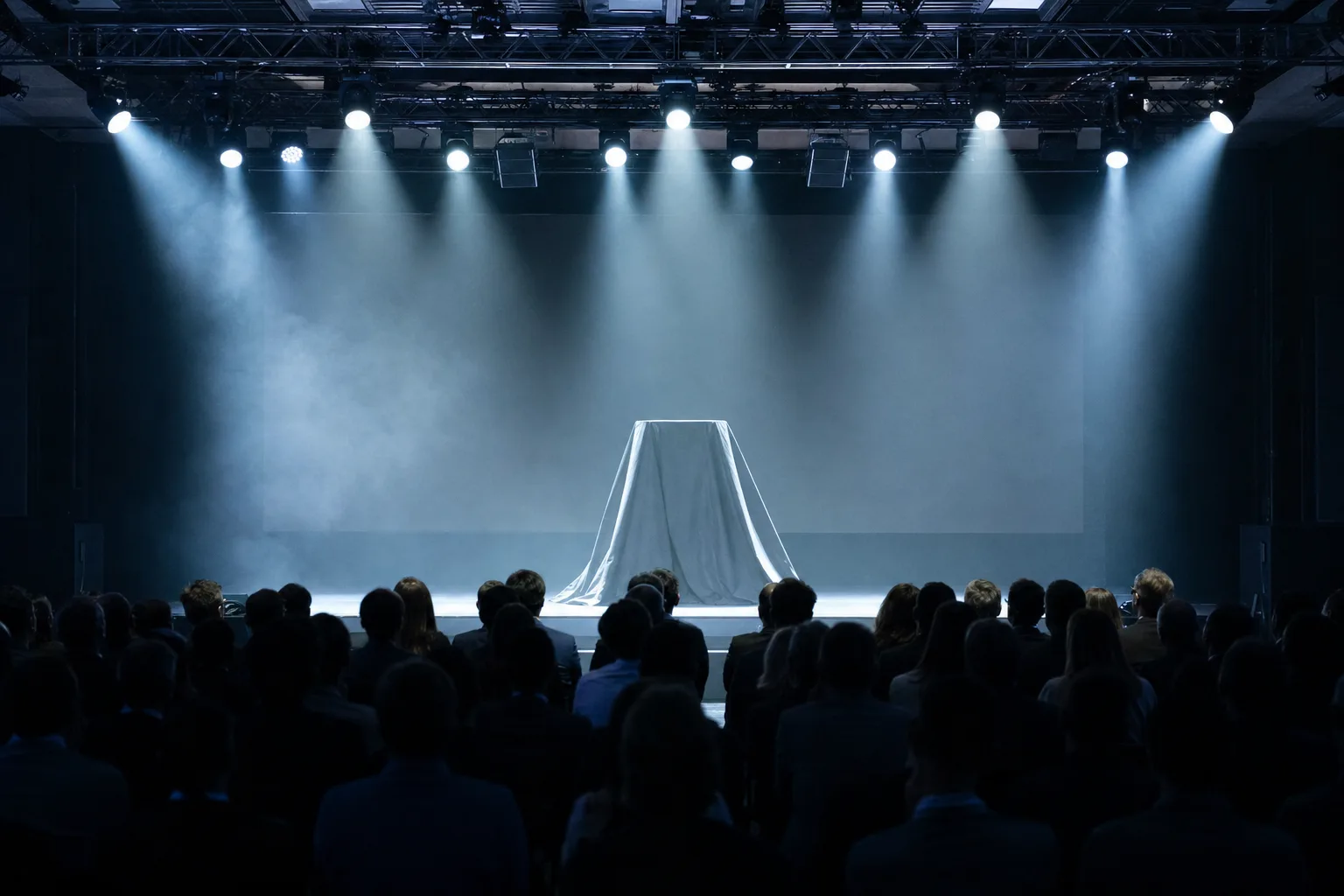
A reveal typically combines several elements: a blackout, an effect such as a Cold Spark Machine fountain upstage (where the venue and fire authority allow it), an audio sting and the LED wall coming up. The show caller, often the technical director, calls them as one moment, and the difference between clean and messy is rehearsal.
Haze. Light beams show up in the air only when there is atmosphere for them to hit; the catalog lists haze machines for beam visibility. A Haze Machine ($25/day) needs time to fill the room, and how long it takes and how long the haze hangs depend on the room and its air handling, so find both at load-in (see the haze question below). Haze and fog can trip smoke detectors, so brief the venue's engineering team and the fire authority; how detectors are handled is their call, never the production's.
Sync. Triggering audio, lighting and video from one GO in show-control software, or from a lighting console that fires the other systems, means the operators aren't each reacting to a spoken call. It does not make every device respond at the same instant: each machine, processor and playback system has its own delay. Measure the actual offsets in rehearsal, then build them into the cue.
Spark timing. Spark fountains take a moment to reach height, and throw varies by machine: the catalog's spark machines range from a 350W mini unit with a 2–3 m throw to a 600W up-spray unit rated 1–5 m, alongside the Rotating Cold Spark Machine ($90/day). Find how far ahead of the wall's fade-up to fire by rehearsing with the actual machine and height setting.
- Start haze early enough for it to fill the room, and adjust from what the camera shows rather than a fixed time.
- Find the spark lead time in rehearsal with the real machine and setting; repeat the cue until it lands consistently.
- Trigger from a single GO where you can, and measure the offsets between systems rather than assuming they are simultaneous.
- If the reveal includes a drape drop or scrim pull, consider a cue light for the stagehand as well as the radio call.
- Confirm the venue and local fire authority allow indoor spark effects, and ask whether a fire watch is required.
How much haze do I need without softening faces on camera?
There is no single density figure to aim for; it depends on the machine, the room's air movement and the cameras. Test it: run a short burst, wait for it to spread, then shoot a test clip of a stand-in downstage under the stage wash with beams behind them. If faces look soft or haloed on playback, you have too much; if the beams behind them barely show, add a little more and test again. Note how long it takes to clear, because open or well-ventilated spaces can clear haze quickly.
Speaker Staging: Followspot Pickup and Downstage Marks
Plan the presenter's path in the rehearsal: where they enter, where they stop, and where they stand for the reveal. The Followspot Light operator picks them up on the walk and holds them as they reach the mark. If you're using a podium, an offset position lets the speaker gesture toward the LED wall without turning their back to the press. If they're clicker-only, mark their spot with spike tape, and check during the rehearsal, under show lighting and on camera, that the speaker can find it and the camera doesn't pick it up.
Followspot control is manual. Put the operator on a stable, approved position, such as a balcony, platform or floor position with safe access and a secure mount for the fixture, not a ladder, cueing on a radio call from the stage manager. VENEGEEST's Followspot Light is a 330W–440W manual unit at $80/day; long throws in big halls need a more powerful fixture, so give the rental house the distance from the spot position to the stage. For multi-speaker panels, two followspots let you cross-fade between presenters without a dark gap. If the stage includes a Portable Stage Platform ($30/day), build it high enough that the seated audience can see, and remember that a taller deck needs proper stairs and rails, which take up wing space.
- Mark the presenter's spot with spike tape and confirm in rehearsal, under show lighting and on camera, that it works for both the speaker and the video team.
- Offset the podium so the speaker can gesture toward the LED wall without turning away from the audience or press.
- Run a rehearsal walk-on with the actual speaker to set the followspot pickup.
- For multiple speakers, consider two followspots so you can cross-fade between people; coordinate via radio with the show caller.
- Keep the stage deck high enough for seated sightlines but no taller than needed; stairs and rails for a tall deck take wing space.
Press Riser and Content-Capture Lighting
Photo and video teams usually want a dedicated position with a clear view over the audience. Plan the riser from the actual crew: how many people and tripods, the working space each needs, access on and off, rails at the edges, and the concentrated loads from people and tripod legs, not just the total weight. Use a riser layout the platform supplier approves for that use. Lighting for content capture has to agree with the cameras: match the color temperature of the key light to the camera's white balance, and agree it with the photo and video teams before doors, so skin tones read neutral.
For product close-ups, such as a hardware demo on a pedestal or a hands-on station, light the product and check it on camera. Shadows, hot spots and color depend on the light's angle, size, diffusion, intensity and distance, not on its color temperature alone. The same applies to an overhead grid on Aluminum H-Frame Truss ($10/day): its height and the fixtures' angles decide how light falls on presenters, so check faces on camera during focus rather than relying on a set height.
Brief the venue early on B-roll access. Videographers may want roaming shots during the reception, which can conflict with attendee flow in a small space; consider a designated B-roll position where a camera operator can shoot the LED wall and the speaker without blocking the press riser.
- Size the press riser from the real crew and equipment, including working space, access, rails and point loads, and get the platform supplier's approval for the layout.
- Match key-light color temperature to the cameras' white balance and agree it with the photo and video teams before doors.
- Designate a B-roll position if roaming cameras would block sightlines.
- Run a camera test during load-in: shoot a short clip of a stand-in under the stage wash, check for color cast, shadows and hot spots, then adjust angle, diffusion, intensity and color before doors.

FAQ: Product Launch Event Production
What pixel pitch do I need for an LED wall viewed from 10 feet?
It depends on your content and how close is acceptable to you. By Planar's chart, 10 feet is closer than the average comfortable viewing distance for a 2.00 mm pitch (11 ft 3 in) and well inside the visual acuity distance for any pitch the rental screen offers, so viewers at that distance may be able to see pixel structure. If key viewers sit that close, ask to see the wall's finest available pitch with your actual content. If you want to mix pitches on one surface, confirm cabinet and processor compatibility and content mapping with the rental house first.
How do I sync cold spark machines to a lighting cue?
Follow the manual for the exact machine you rent, because control differs by model. As one example, the SPARKULAR II manual describes separate DMX channels for effect height and for trigger functions (including an emergency stop), an optional separate safety channel, and a heating chamber that must reach temperature before the machine is ready to fire; it also sets minimum safety distances to the audience and flammable material (SPARKULAR II manual). Program the cue from your machine's own channel map, include warm-up and stop in the plan, keep the manufacturer's clearances, and find the lead time ahead of the wall's fade-up in rehearsal.
Where should the show caller sit during the event?
Where they can see the presenter, the LED wall and the press riser, usually at or near the front-of-house position, with headset communication to the stage manager, the lighting operator and the audio lead, plus a monitor showing the script or cue sheet. A position without a view of the stage makes it harder to call followspot pickups, haze and the reveal. At smaller venues without a mix position, find a spot with a clear sightline to the stage.
What's the load-in order for a 200-person product launch?
Ask your crew for a timeline based on the venue's access hours and the rig. A typical order is: unload and stage build; LED wall build, power distribution and any truss; lighting focus, haze testing and followspot positioning; audio setup and playback sync; a full technical rehearsal with the reveal cue, speaker walk-on and camera tests; then time held back for fixes. If the venue has union labor requirements, ask how they affect crew breaks and handoffs, and build that time in.
Do I need a fire permit for indoor cold spark effects?
Rules differ by venue and fire authority, and some prohibit cold spark outright, so confirm early. Central County Fire's bulletin says spark-producing devices use powdered titanium or zirconium, that their heat "is still capable of igniting nearby materials," and that California Health and Safety Code Section 12505 classifies such materials as Dangerous Fireworks; where use is approved, it must be performed by a pyrotechnic operator licensed by the State Fire Marshal (Central County Fire Department). Give the venue and fire authority a short description of the effect, including the machine model, duration and cue placement, and ask whether a fire watch is required.