
Conference Room AV Setup for 10-50 People
A practical guide to sizing microphones, speakers, and video conferencing gear for conference rooms seating 10 to 50 people.
Why Room Size and Shape Drive Your AV Setup
A conference room's microphones, speakers and camera should be chosen for that room — its dimensions, its seating layout and how its walls, floor and ceiling handle sound — not for a headcount on a package label. Headcount is a useful starting point, but two rooms that both seat 30 can need very different gear if one is a long boardroom table and the other is rows of chairs facing a screen.
The practical way to size a system is to compare the room against the manufacturer's published coverage for each piece of equipment. Video bars, ceiling microphones and cameras all publish a pickup range, a coverage area or a field of view, and those numbers vary a lot between models. Logitech, for example, describes its Rally Bar as an "all-in-one video bar for medium to large rooms" with microphone pickup "up to 7 m" and support for "up to 4 additional Rally Mic Pods" in larger rooms. Shure's MXA901 ceiling array offers "plug-and-play pickup for up to 20 ft x 20 ft (6 m x 6 m)," with a zone you can adjust "from 10 ft x 10 ft to 20 ft x 20 ft." Those are two products among many, but they show why the fit depends on the model and the room rather than a single seat-count rule.
This guide walks through three example room types — a small single-table room, a mid-size room and a large room with rows or a gallery — and the questions to ask about microphones, speakers and cameras for each. It is written for meetings that mix in-room and remote attendees, since that is the case where microphone and camera coverage matter most. It also covers what VENEGEEST's listed catalog covers for a meeting room and what is available on request.
Example: A Small Single-Table Room
For a small room built around one table, an all-in-one video bar is a common choice. These units combine a camera, a microphone array and speakers in one bar mounted under or above the display, which keeps cabling and setup simple.
Check the bar's published microphone pickup range against the distance from the bar to the farthest seat. If the table is longer than that, or the room has an unusual shape such as an L or a breakout corner, look at the expansion microphones the bar's manufacturer supports — many bars accept only their own add-on mics, so a generic wireless microphone is not a substitute. Do the same with the camera: compare its field of view with the seating, and sit in the corner seats during a test call to see whether you are in frame.
- Video bar (camera, microphones and speaker in one unit)
- Manufacturer-supported expansion microphone, if the pickup range falls short
- Display sized for the room, or two displays if you want remote participants and shared content side by side
Hard walls, high ceilings and glass can still cause problems in a small room; the acoustics section below covers why. (Video bars, ceiling microphone arrays, PTZ cameras and DSPs are available from VENEGEEST on request, subject to availability; see the rental section below.)
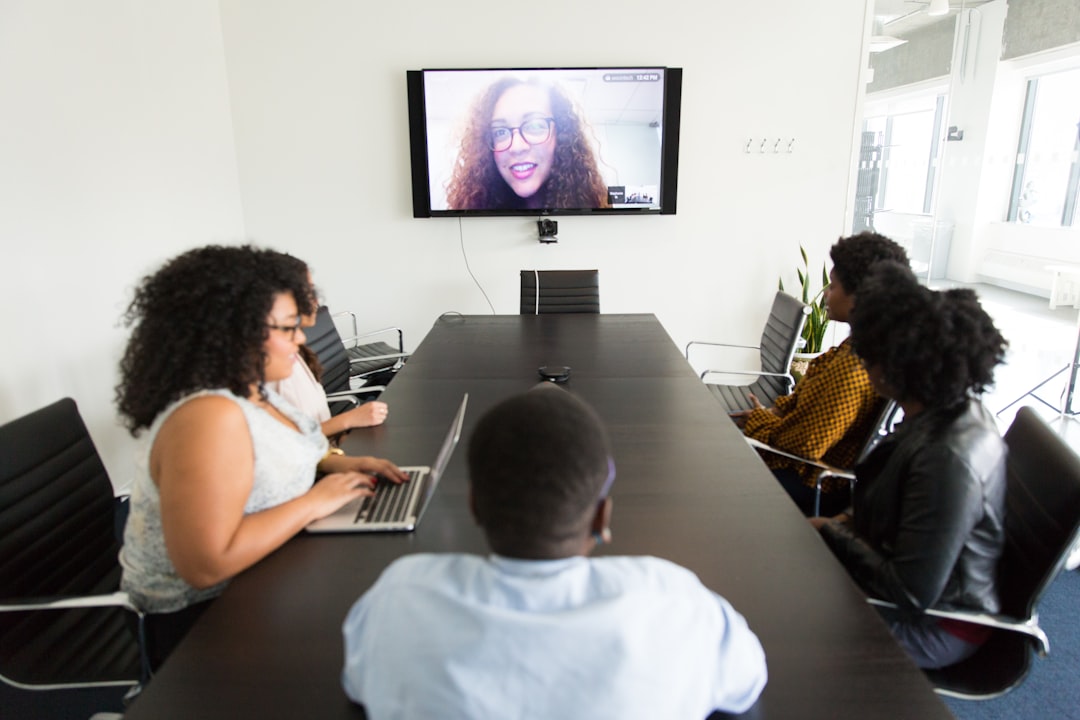
A test call with someone sitting in the farthest seat is the quickest way to find out whether every seat is audible and in frame.
Example: A Mid-Size Room With a Longer Table or Two Rows
As tables get longer or a second row of seats appears, the distance from any one device to the farthest talker grows. At that point the options include a video bar with expansion microphones, a ceiling microphone array, or tabletop microphones — the right one depends on the published coverage of each model, the ceiling height, and where people actually sit.
Ceiling arrays mount overhead and can be configured to pick up defined zones. Shure notes that the MXA901's coverage can be adjusted "to match layouts, avoid overlap, and reduce pickup in undesired areas," which is why configuration matters as much as the hardware. If a single camera cannot frame the whole table, a separate PTZ (pan-tilt-zoom) camera with presets for a wide shot and a presenter shot is one option; check its field of view and zoom against your seating.
Dedicated speakers can help remote voices reach the back of the room, particularly in presentation-style layouts where people face the front rather than a table.
- Video bar with expansion microphones, or a ceiling microphone array, or tabletop microphones
- Separate camera with preset positions, if one camera cannot frame everyone
- Wall, ceiling or portable speakers; for a presentation-style room, a commercial PA speaker is another option
- Display or dual displays
Plan for a technician at initial setup and a test call before the meeting starts, with people sitting in the far seats.
Example: A Large Room With Rows or a Gallery
Large meeting rooms — a training room with rows, a divisible ballroom section, or a boardroom with a gallery of perimeter seats — are where coverage planning takes the most care. One possible design uses two microphone zones, one over the main table or front rows and one over the back seating, combined in a digital signal processor (DSP) so remote attendees hear a single mix. Another might use a ceiling array whose published coverage already spans the room. Compare the options against the manufacturers' coverage figures and the room plan, rather than assuming a large room needs a particular number of zones.
For cameras, one possible layout is a PTZ camera on the presenter or head of the table plus a second, wider camera for the room, similar to the approach described in our hybrid town hall AV guide, scaled down. If presenters walk while they talk, a wireless handheld or lavalier microphone is a common addition; test how your chosen ceiling or table microphones handle someone moving around before the meeting.
- Microphone coverage planned against the room layout (for example, two zones with a DSP, or a single array rated for the area)
- Camera coverage for both the presenter and the room
- Wireless handheld or lavalier microphone for anyone standing to present
- Speaker system suited to the room's size and layout
- Large display or projector setup
At this size, it's worth having a technician stay for the full meeting rather than a drop-off, because a camera preset or audio-routing problem during the meeting is easier to fix with someone in the room. If your large room regularly hosts town halls or all-hands rather than standard meetings, our full AV equipment catalog has additional lighting and staging options.
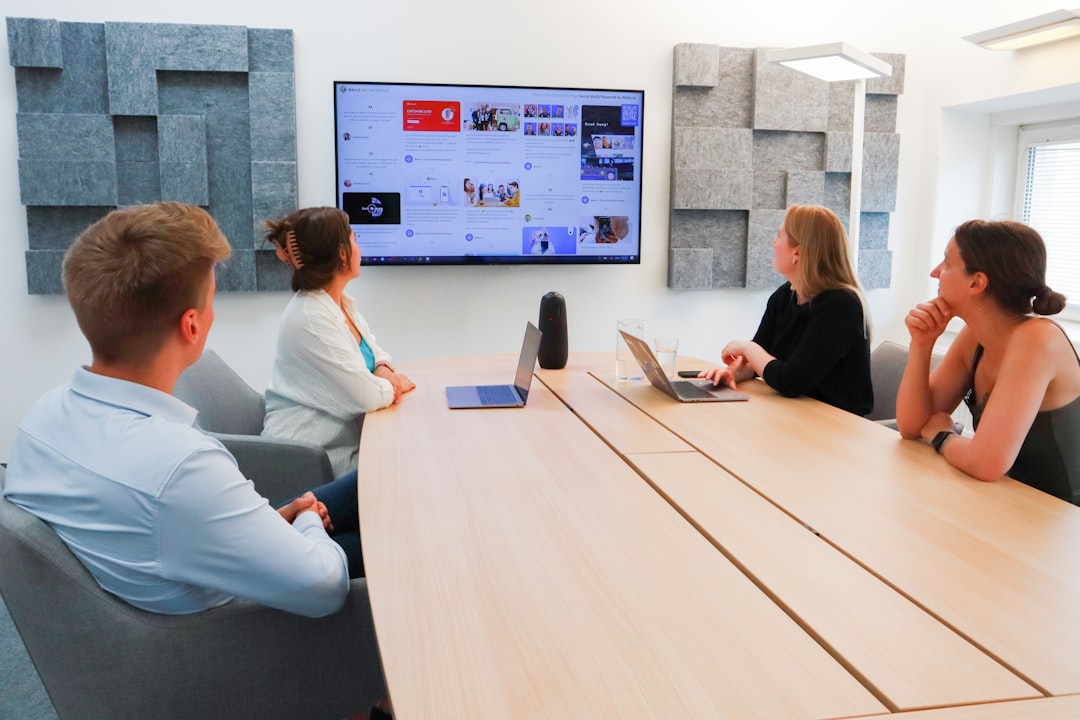
Wall panels like the ones in this room absorb reflected sound, which is one of the simplest ways to improve how a meeting room sounds on a call.
Getting the Room Acoustics Right Before You Add Gear
Two different problems often get called "echo" on video calls, and they have different fixes.
Room reverberation is sound bouncing off hard surfaces in your own room. Shure's audio guide for meetings and conferences describes reverberation as "one of the biggest enemies of intelligibility" and notes that rooms with absorptive materials, "such as carpeted floors and upholstered furniture, help minimize reflected sound." It recommends sound-absorbing wall and window treatments, which "can significantly reduce room reverberation." The same guide cautions that the more open microphones a system has, "the more indirect sound is fed into it," which is why automatic mixers switch off microphones that are not in use.
Acoustic echo is what remote participants hear when their own voices come out of your room's speakers, get picked up by your microphones and are sent back to them. The fix for that is acoustic echo cancellation (AEC), which Shure describes as monitoring the incoming audio from remote sites and removing it from the outgoing signal. Shure also notes that AEC is "not designed to address audio issues such as acoustic reverberation within a reflective room," that excess reflective sound "makes it difficult for the echo canceller to work properly," and that a room with proper acoustic treatment and a properly deployed sound system is the starting point before trying to fix audio problems electronically.
A quick way to check a room you haven't used for calls: stand in the middle and clap once. A long ringing tail rather than a short, sharp sound suggests a reflective room that could benefit from acoustic treatment — wall panels, ceiling baffles or heavy curtains — before you spend on premium microphones. If you can't modify the walls or ceiling in a leased space, ask your conferencing integrator how microphone placement, pickup zones and processing can be set up for the room, and budget for that work.
What You Can Rent From VENEGEEST for a Meeting Room
VENEGEEST is an event AV rental company that designs a custom setup around each event's scenario and requirements. The video conferencing hardware above (video bars, ceiling arrays, PTZ cameras, DSPs) is available on request, subject to availability; contact us for a quote. The listed catalog covers the presentation side of a meeting, with these day rates:
- LED TV Display: 43-inch $35, 65-inch $55, 75-inch $75, 85-inch $95, 120-inch $120 per day, with a TV floor stand at $20 per day.
- Wireless Screen Caster: $60 per day, for casting from a laptop or phone to the display without a cable.
- Bluetooth Speaker System: $60 per day for one controller, six speakers and two mics, suited to in-room speech and background audio.
- Commercial PA Speaker: $200 per day, for larger training rooms or presentations.
A day rate covers a 24-hour rental period; delivery, setup, and technician services are scoped and quoted to your event, and self-pickup from our South San Francisco warehouse is an option. For a room that mainly hosts video calls, add the conferencing hardware to your quote request, or pair these with your own integrator's setup; for common video-call problems, see our conference room AV troubleshooting guide.
FAQ: Conference Room AV Setup
What's the minimum AV setup for a 10-person conference room?
For a small room around one table, an all-in-one video bar (camera, microphones and speaker combined) plus a display is a common starting point. Check the bar's published microphone pickup range and camera field of view against your table, and add the manufacturer's own expansion microphones if the far seats fall outside that range.
Do I need a ceiling microphone for a mid-size conference room?
Not necessarily. Some video bars are designed for medium and large rooms and accept expansion microphones; Logitech's Rally Bar, for example, lists pickup "up to 7 m" and support for additional mic pods. A ceiling array is another option, and its coverage depends on the model and how its zones are configured. Compare the published coverage of each option with your room and test with people in the far seats.
How much does it cost to rent AV equipment for a 50-person conference room?
It depends on how much of the room is conferencing hardware versus presentation gear, and on whether a technician stays through the meeting. For the presentation side, VENEGEEST catalog day rates run $35–$120 for an LED TV display (43-inch to 120-inch), $60 for a wireless screen caster, and $200 for a commercial PA speaker, with delivery, setup, and technician services scoped and quoted to your event. Conferencing hardware such as ceiling mic arrays and PTZ cameras is available on request, subject to availability, with a custom quote.
Why does my conference room have echo on video calls even with good microphones?
First work out which kind of echo it is. If remote participants hear their own voices coming back, that is acoustic echo, and it is handled by properly configured acoustic echo cancellation in the conferencing system. If voices in your room sound hollow or distant, that is usually room reverberation from hard surfaces, and Shure's guidance is that acoustic treatment and good microphone placement come first, since echo cancellers are not designed to fix reverberation.
Can I use the same AV setup for both small meetings and large all-hands in one room?
Often, yes. A system designed to cover the largest layout of the room can also serve a smaller group, provided its microphone coverage, camera presets and controls suit both setups. Some rooms are also divisible, with systems that combine or split. Test both configurations — a small meeting at one end of the table and a full-room session — before relying on either.